Now on the App Store

The GPS field journal
for any property
you manage.

Satellite map. GPS photo markers. Zone drawing. Professional PDF reports. Everything on your iPhone — no subscription, no account, no cloud.

Download on the App Store $9.99 · One-time · No subscription
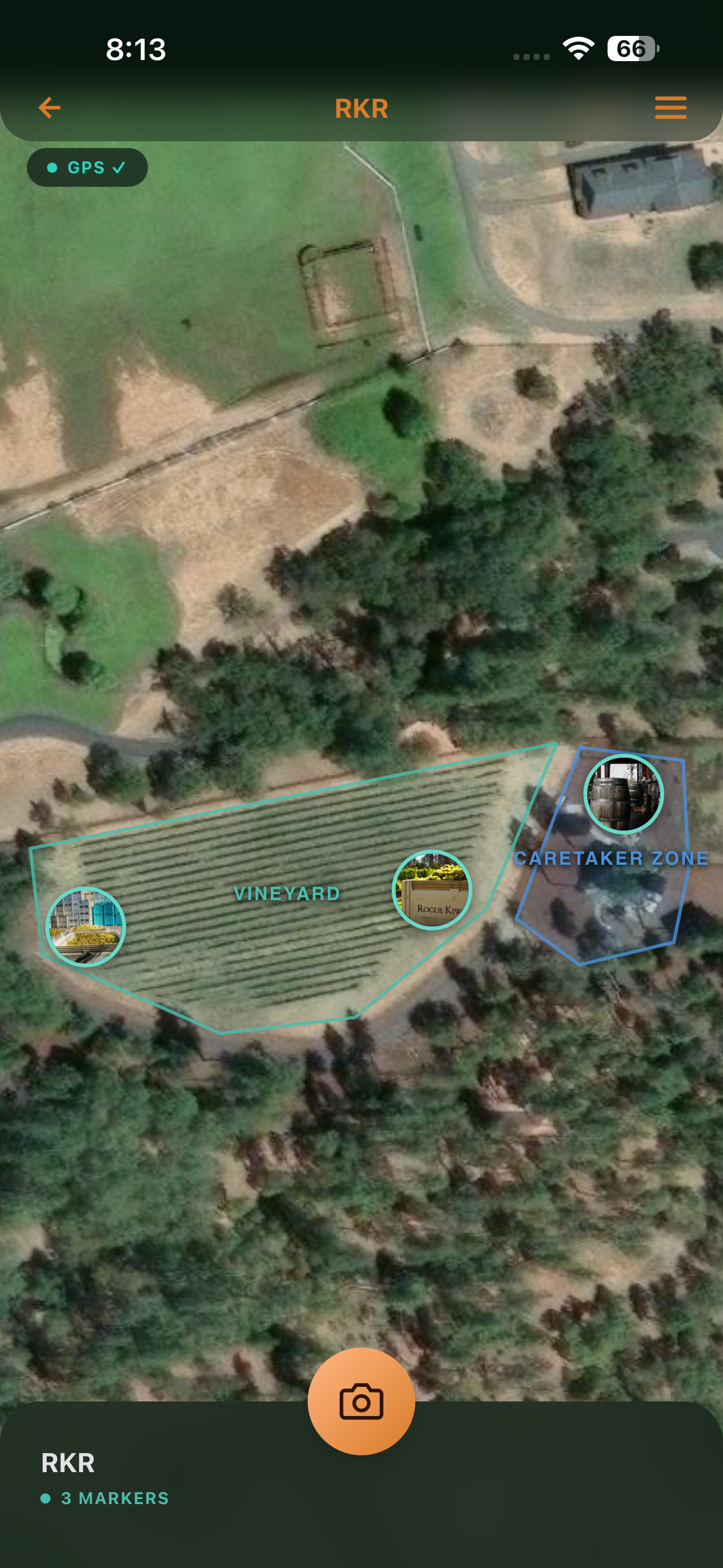
PocketHQ satellite map with named zones and GPS photo markers
$9.99
One-time purchase
100%
Offline capable
0
Subscriptions required
iPhone
iOS App Store

Managing a property
shouldn't feel like this

Photos with no context

Your camera roll has hundreds of property photos. No idea where half of them were taken or what you were looking at when you shot them.

Issues that disappear

You spot a fence gap, mental-note it, and it's gone by the time you're back at the desk. Or you email yourself. Or it's in a notebook somewhere.

Reports that take hours

Getting a clear report to a contractor means digging through photos, writing notes, and formatting a document. A half-day job every time.

Four steps. That's it.

PocketHQ gets out of the way and lets you do field work. Everything is where you'd expect it.

Add a place

Enter an address. PocketHQ geocodes it and drops a draggable pin on a satellite map. Name it. Done.

Shoot problems

Tap the camera anywhere on your property. PocketHQ captures the photo and GPS-pins it to your satellite map automatically.

Draw zones

Divide your property into named zones — directly on the satellite map. North Paddock, Orchard, Outbuildings. Markers sort themselves.

Generate a report

Tap Generate Report. Choose Field Summary, Visual Storyboard, or Photo Sheet. PDF ready in seconds.

Satellite Map

Open to your property.
Ready from first tap.

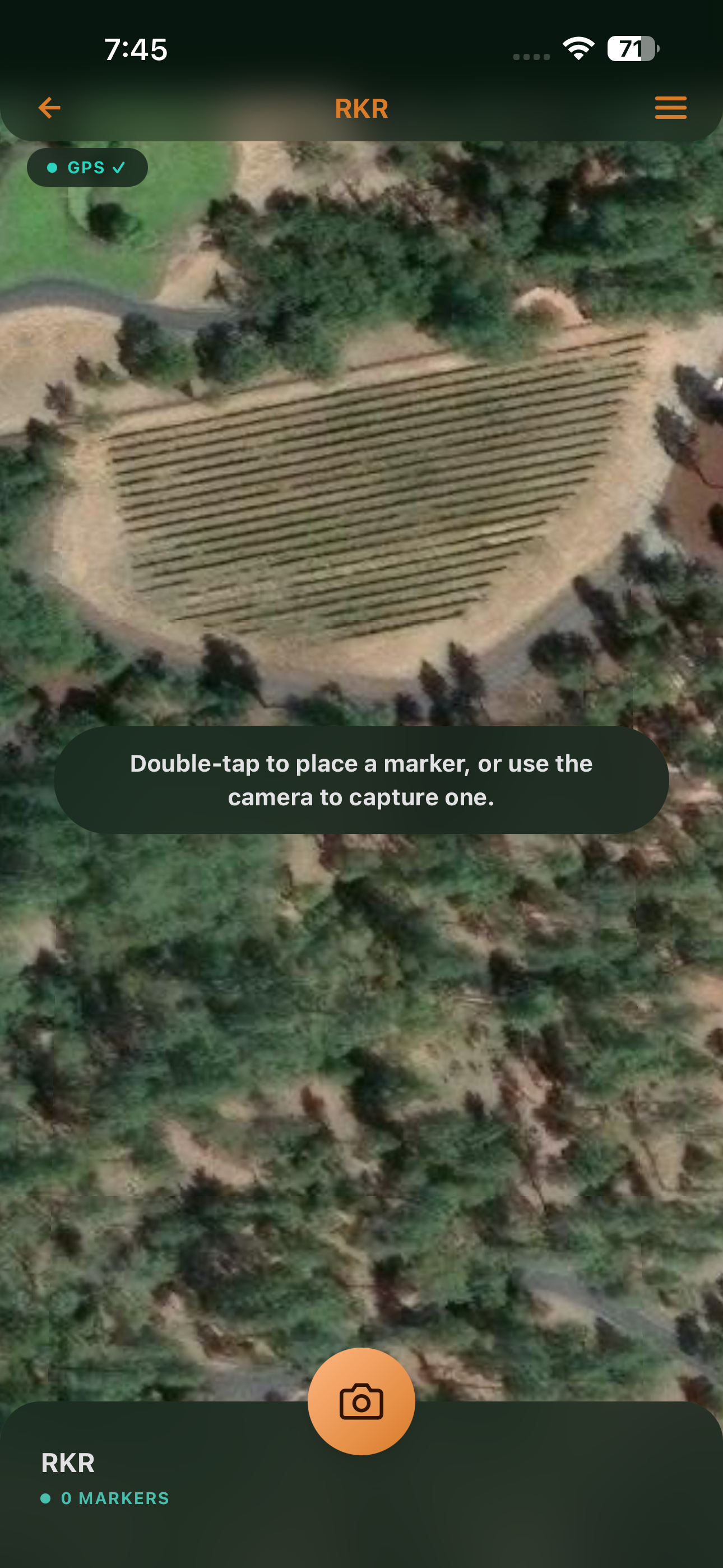
PocketHQ launches directly to a satellite view of your property. Every documented issue is pinned to its exact GPS location as a photo marker — color-coded by status, filterable by zone or priority.

  • Apple Maps satellite imagery, cached for offline use
  • Teal ring = Active · Amber = Needs Attention · Gray = Resolved
  • Tap once to preview · Double-tap for the full marker card
  • Double-tap empty map to drop a pin without a photo
PocketHQ satellite map view
Zone Drawing

Organize by the land,
not by the list.

Tap out a polygon boundary directly on your satellite map. Name it. Color it. Markers inside update their zone automatically when you drag them across the line. Filter or scope reports to a single zone in one tap.

  • Draw any polygon shape — tap to place each vertex
  • Adjust individual vertices or move entire zones
  • Drag a marker across a boundary to reassign its zone
  • Generate zone-scoped PDF reports from inside each zone
PocketHQ zone drawing with named zones on satellite map
Photo Annotation

Mark it up. Save it.
It's in every report.

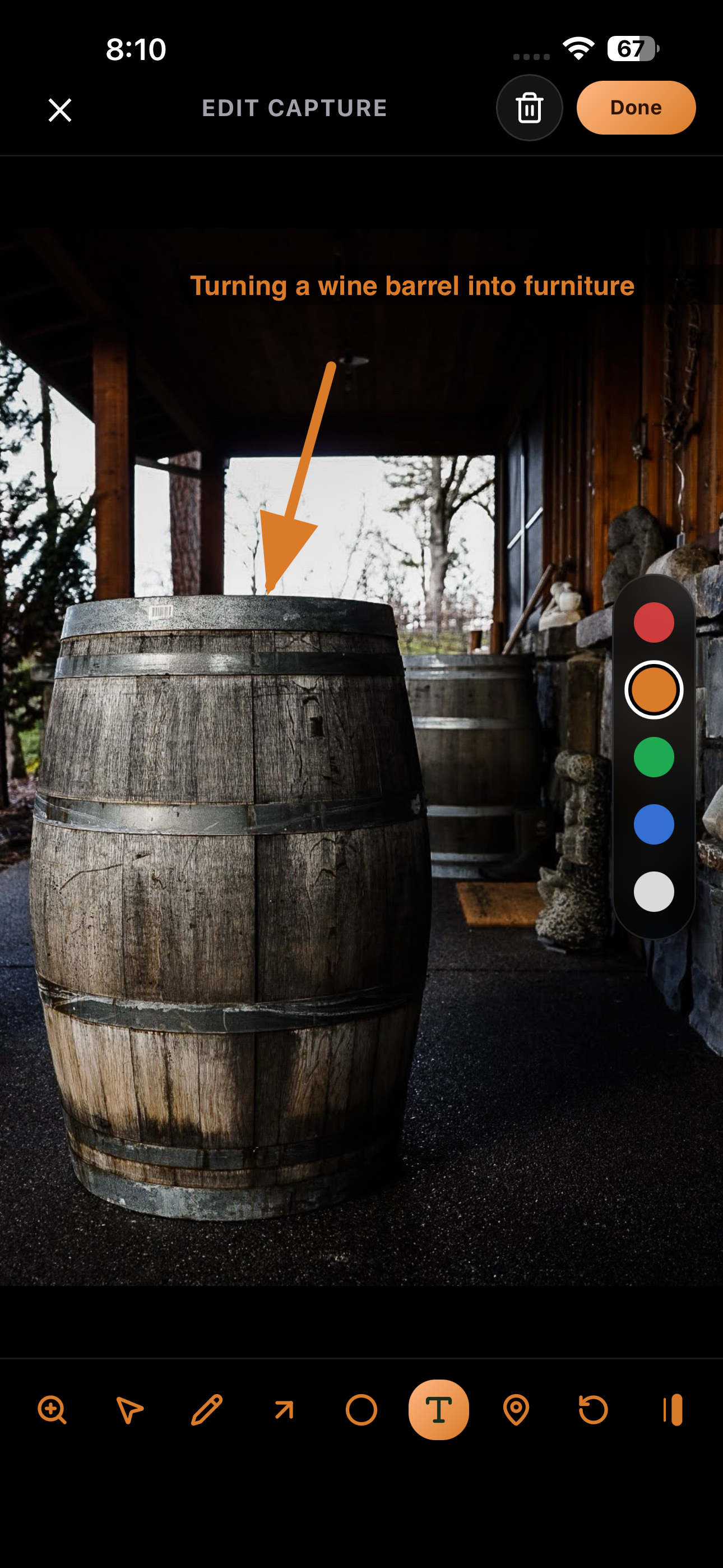
Open any marker photo and draw directly on it — arrow to the problem, circle around the damage, text label for what needs doing. Annotations are saved with the marker and appear automatically in every PDF you generate.

  • Arrow, circle, freehand draw, and text tools
  • Four colors plus thick/thin stroke toggle
  • Hold canvas to reveal the original photo beneath
  • Flag photos as Before or After for comparison tracking
PocketHQ photo annotation with arrow and text tools
PDF Reports

Scope it. Tap it.
Share it.

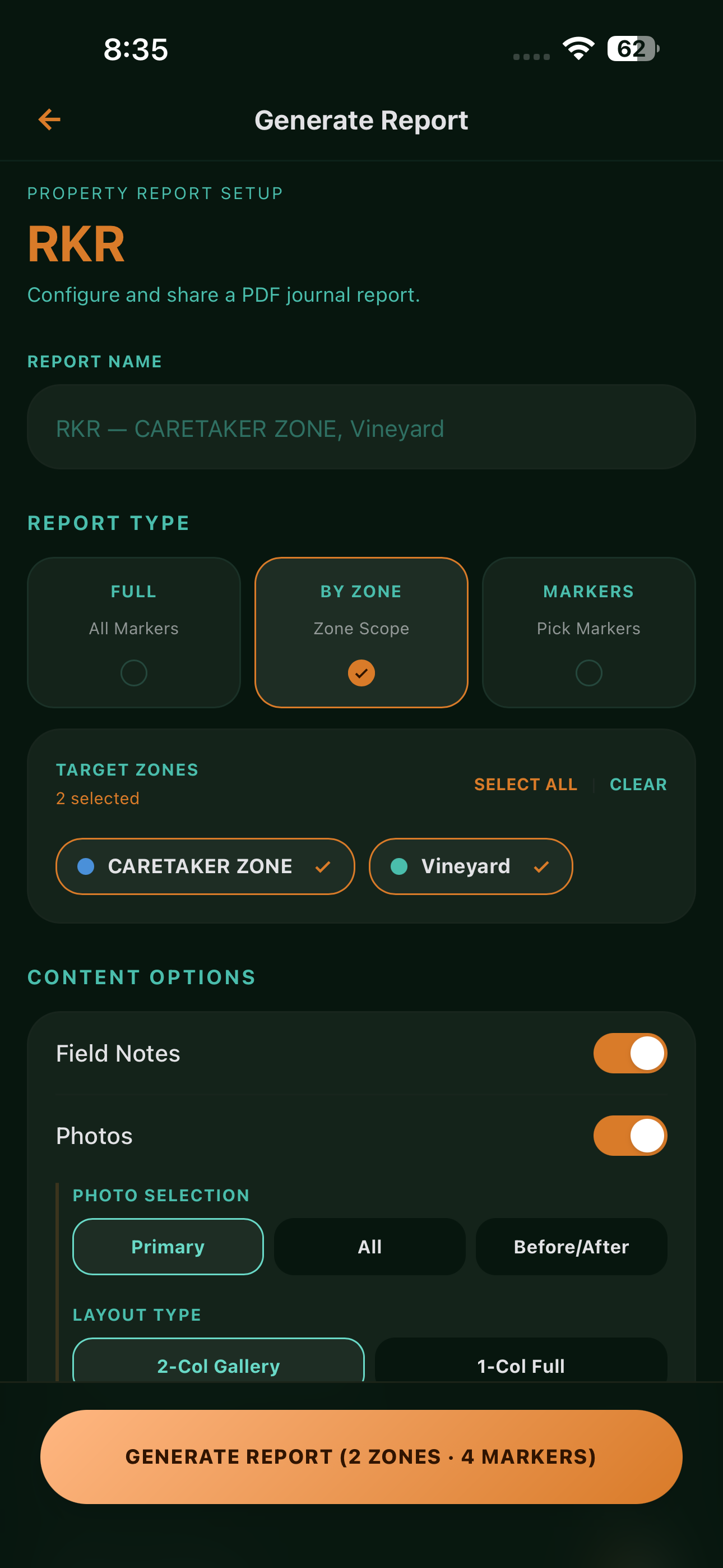
Three formats built for different audiences. Choose what to include, pick the markers or zones that matter, and share straight from the app. No formatting. No desktop required.

  • Field Summary — concise status briefing
  • Visual Storyboard — photo-forward, built for contractors
  • Photo Sheet — full-page photos for binder filing
  • Share via email, AirDrop, iCloud, or iMessage
PocketHQ report generation screen
Offline-First

No cloud. No account.
No compromise.

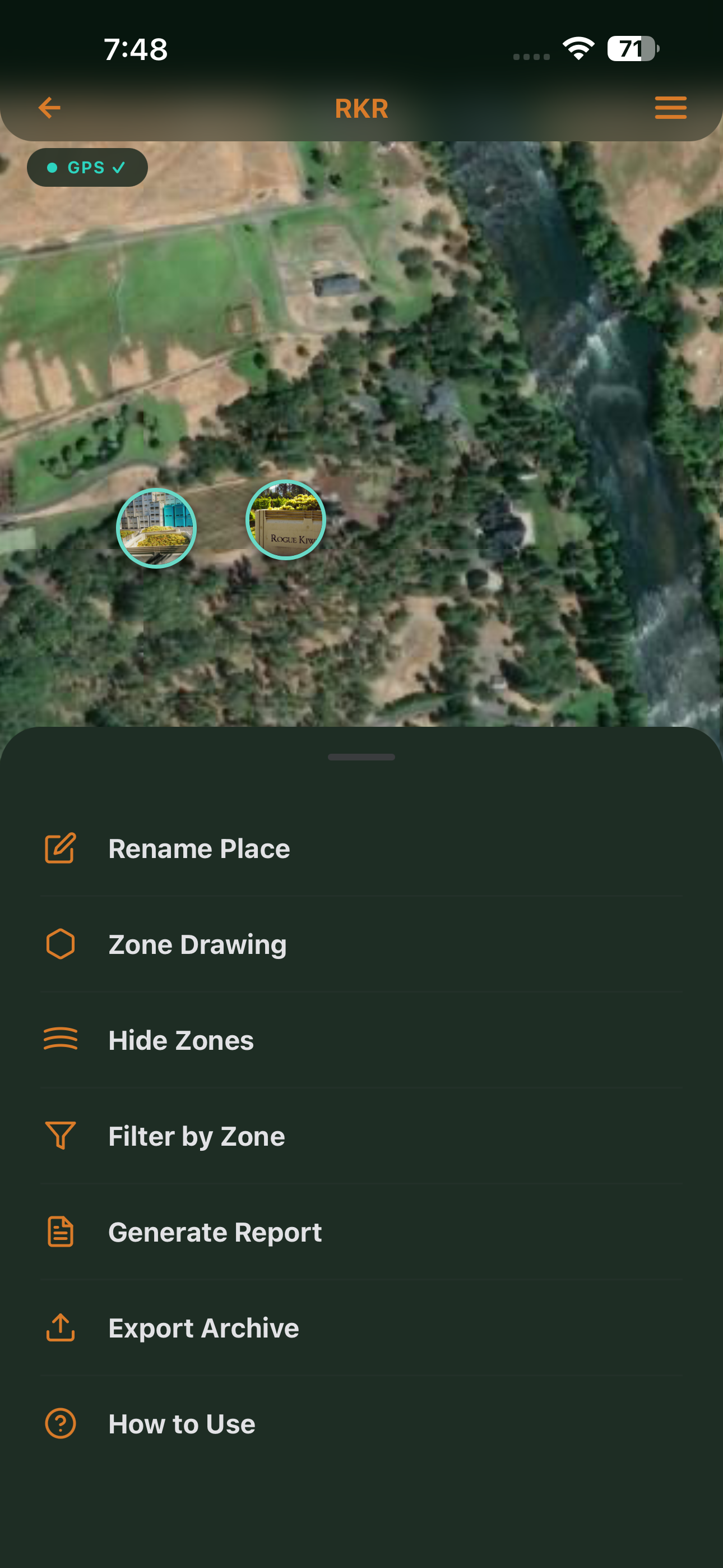
Field work happens where signal doesn't reach. PocketHQ keeps everything on device — satellite tiles cached when you set up a place, GPS active in airplane mode, all data in private on-device storage. Nothing requires a server. Nothing ever leaves your phone.

  • Satellite tiles cached on first property setup
  • GPS active in airplane mode — no signal needed
  • All data in private on-device SQLite
  • Export archive to ZIP anytime via iOS share sheet
PocketHQ settings menu showing offline and export options
PocketHQ

No training.
No tutorial.
Just start.

Open the app. Add your property. Tap the camera. PocketHQ does the rest.

Download on the App Store
$9.99

One time. Not one year.

Own it. Don't rent it.

We made one pricing decision and we're sticking to it. PocketHQ costs $9.99. That's the whole price. Everything in the app is yours when you buy it.

No monthly fees
No "starter" vs "pro" tier
No account to create
No data on our servers
Everything. Yours. Forever.
Download on the App Store

Built for people who
manage real places

If you own or manage a physical property with issues to track and people to report to, PocketHQ is for you.

Farm & Ranch Owners

Track fence lines, irrigation, pest activity, and infrastructure across large parcels. Generate reports for your manager or insurer.

Estate Managers

Document issues across grounds, outbuildings, and facilities. Share professional reports with property owners and contractors.

Site Supervisors

Map and document snag lists, safety issues, and progress on any site. Photo evidence with GPS pinned to exactly where it was taken.

Field Inspectors

Conduct property surveys with a structured, map-first workflow. Professional PDF output ready the moment inspection wraps.

Facility Managers

Maintain a living record of every issue across your building or campus. Track status from reported to resolved.

Rural Property Owners

No app experience needed. PocketHQ is designed for people who work outdoors, not people who work in offices.